← All posts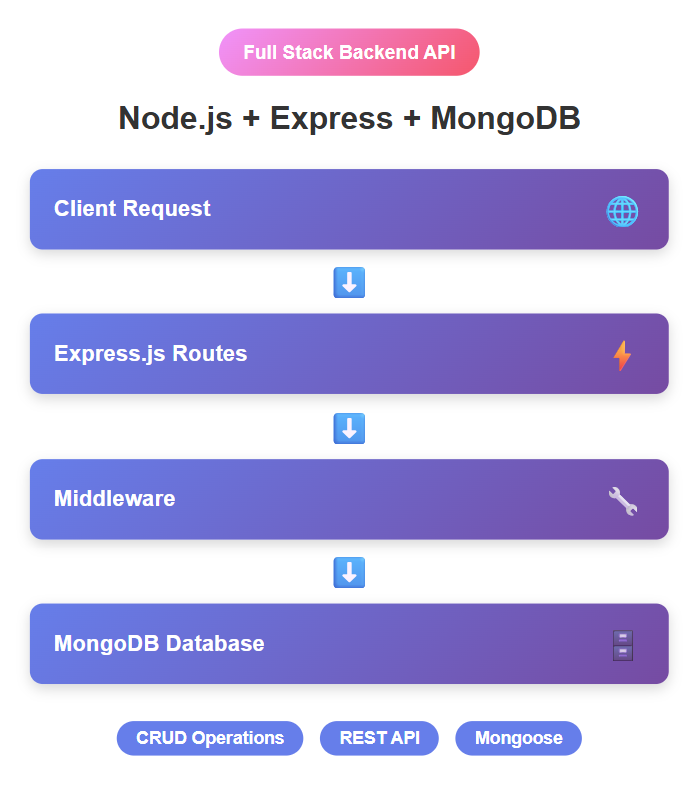

expressjsnodejsbackendmongodb
Node.js Express MongoDB backend API setup
Jan 1, 2026•4 min read
Node.js Express MongoDB Quick Reference Guide
Quick Start Commands
# Initialize project
npm init -y
# Install dependencies
npm install express mongoose
# Start MongoDB (Mac/Linux)
mongod
# Run server
node index.js
📦 Essential Imports
const express = require('express');
const mongoose = require('mongoose');
const fs = require('fs');
🔌 MongoDB Connection
mongoose.connect('mongodb://127.0.0.1:27017/nodeWebServer')
  .then(() => console.log('MongoDB Connected'))
  .catch(err => console.log('Error:', err));
📊 Schema Definition
const userSchema = new mongoose.Schema({
  firstName: { type: String, required: true },
  lastName: String,
  email: { type: String, required: true, unique: true },
  jobTitle: String,
  gender: String
}, { timestamps: true });
const User = mongoose.model('user', userSchema);⚙️ Middleware Setup
// Body parsers
app.use(express.urlencoded({ extended: false }));
app.use(express.json());
// Custom logging
app.use((req, res, next) => {
  const log = `${new Date().toISOString()} - ${req.ip} ${req.method} - ${req.path}\n`;
  fs.appendFile('access.log', log, (err) => {
    if (err) console.error('Logging error:', err);
  });
  next();
});
📡 API Endpoints Cheat Sheet
GET All Users (HTML)
app.get('/users', async (req, res) => {
  const allUsers = await User.find({});
  const html = `<ul>${allUsers.map(user => `<li>${user.firstName} - ${user.email}</li>`).join('')}</ul>`;
  res.send(html);
});
GET All Users (JSON)
app.get('/api/users', async (req, res) => {
  const allUsers = await User.find({});
  res.json(allUsers);
});
GET Single User
app.get('/api/users/:id', async (req, res) => {
  const user = await User.findById(req.params.id);
  if (!user) return res.status(404).json({ error: 'User not found' });
  res.json(user);
});
POST Create User
app.post('/api/users', async (req, res) => {
  const body = req.body;

  if (!body.first_name || !body.email) {
    return res.status(400).json({ error: 'First name and email required' });
  }
const result = await User.create({
firstName: body.first_name,
lastName: body.last_name,
email: body.email,
gender: body.gender,
jobTitle: body.job_title
}); res.status(201).json({ message: 'Success', user: result });
});PATCH Update User
app.patch('/api/users/:id', async (req, res) => {
  await User.findByIdAndUpdate(req.params.id, req.body);
  res.json({ message: 'User updated successfully' });
});
DELETE User
app.delete('/api/users/:id', async (req, res) => {
  await User.findByIdAndDelete(req.params.id);
  res.json({ message: 'User deleted successfully' });
});
🌐 Server Startup
const PORT = 3000;
app.listen(PORT, () => {
  console.log(`Server running on http://localhost:${PORT}`);
});
🧪 Testing with cURL
# Get all users
curl http://localhost:3000/api/users
# Create user
curl -X POST http://localhost:3000/api/users \
  -H "Content-Type: application/json" \
  -d '{"first_name":"John","last_name":"Doe","email":"john@example.com","gender":"Male","job_title":"Developer"}'
# Get single user
curl http://localhost:3000/api/users/<USER_ID>
# Update user
curl -X PATCH http://localhost:3000/api/users/<USER_ID> \
  -H "Content-Type: application/json" \
  -d '{"jobTitle":"Senior Developer"}'
# Delete user
curl -X DELETE http://localhost:3000/api/users/<USER_ID>
🔍 Mongoose Query Methods
// Find all
User.find({})
// Find by ID
User.findById(id)
// Find one by criteria
User.findOne({ email: 'john@example.com' })
// Create
User.create({ firstName: 'John', email: 'john@example.com' })
// Update by ID
User.findByIdAndUpdate(id, { firstName: 'Jane' })
// Delete by ID
User.findByIdAndDelete(id)
// Count documents
User.countDocuments({})
⚡ Common Patterns
Error Handling
app.get('/api/users', async (req, res) => {
  try {
    const users = await User.find({});
    res.json(users);
  } catch (error) {
    res.status(500).json({ error: error.message });
  }
});
Validation
if (!req.body.email) {
  return res.status(400).json({ error: 'Email is required' });
}
Response Status Codes
res.status(200).json({ data });     // OK
res.status(201).json({ data });     // Created
res.status(400).json({ error });    // Bad Request
res.status(404).json({ error });    // Not Found
res.status(500).json({ error });    // Server Error
📝 HTTP Status Codes Reference
Code Meaning Usage 200 OK Successful GET, PATCH, DELETE 201 Created Successful POST (resource created) 400 Bad Request Invalid request data 404 Not Found Resource doesn’t exist 500 Internal Server Error Server-side error
🛠️ Useful npm Scripts
Add to package.json:
{
  "scripts": {
    "start": "node index.js",
    "dev": "nodemon index.js"
  }
}
Then install nodemon for auto-restart:
npm install --save-dev nodemon
npm run dev
🔐 Environment Variables (Production)
// Install dotenv
npm install dotenv
// .env file
PORT=3000
MONGODB_URI=mongodb://127.0.0.1:27017/nodeWebServer
// index.js
require('dotenv').config();
const PORT = process.env.PORT || 3000;
mongoose.connect(process.env.MONGODB_URI);
📦 Project Structure (Advanced)
node-web-server/
├── config/
│   └── database.js
├── controllers/
│   └── userController.js
├── models/
│   └── User.js
├── routes/
│   └── userRoutes.js
├── middleware/
│   └── logger.js
├── .env
├── index.js
└── package.json
🚀 Deployment Checklist
- [ ] Use environment variables
- [ ] Add error handling middleware
- [ ] Implement input validation
- [ ] Add authentication (JWT)
- [ ] Use HTTPS
- [ ] Set up CORS
- [ ] Add rate limiting
- [ ] Enable compression
- [ ] Set security headers (helmet)
- [ ] Add logging (winston/morgan)
- [ ] Set up monitoring
- [ ] Create API documentation
💡 Tips & Best Practices
- Always use async/await for database operations
- Never expose sensitive data in error messages
- Validate input before processing
- Use appropriate status codes
- Log all errors for debugging
- Keep routes organized in separate files
- Use environment variables for configuration
- Add comments to complex code
- Test your APIs thoroughly
- Keep dependencies updated
Quick Links: